
Your Mac's coding agents, in your pocket
把 Mac 上的编程助手装进口袋
Hand a task to Claude Code or Codex on your Mac, then walk away. Approve commands, answer questions, review every change and see your screen from your iPhone, iPad or Apple Watch.
在 Mac 上把任务交给 Claude Code、Codex,然后放心离开。在 iPhone、iPad 或 Apple Watch 上批准命令、回答问题、查看每一处改动,还能看到并操控 Mac 屏幕。
Works with Claude Code, Codex, Gemini CLI, OpenCode and other agents that support ACP.
支持 Claude Code、Codex、Gemini CLI、OpenCode 等支持 ACP 协议的命令行助手。
Stay in control without staying at your desk
不用守在电脑前,也不会失去掌控
The agent works on your Mac with your own accounts. Your phone is where you make the calls.
助手在你的 Mac 上、用你自己的账号干活;你在手机上做决定。
Hand off work
随手派活
Pick a project and an agent, describe the task, attach screenshots or dictate, and follow progress live.
选好项目和助手,一句话描述任务,可以附截图、用语音,实时看进度。
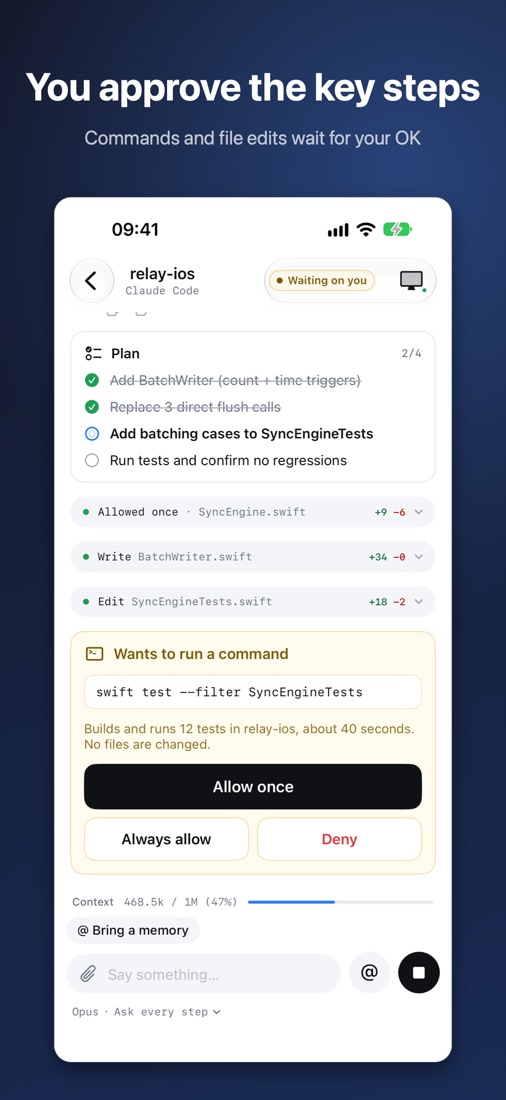
Approve the key steps
关键操作你来点头
Commands and file edits wait for you: allow once, always allow or deny, even from Apple Watch.
执行命令、改文件之前先问你:允许一次、以后都允许或拒绝,Apple Watch 上也能批。
Review every diff
改了什么一目了然
Each turn ends with its changes, file by file, in unified or side-by-side view.
每轮结束逐文件查看改动,支持合并和并排两种视图。
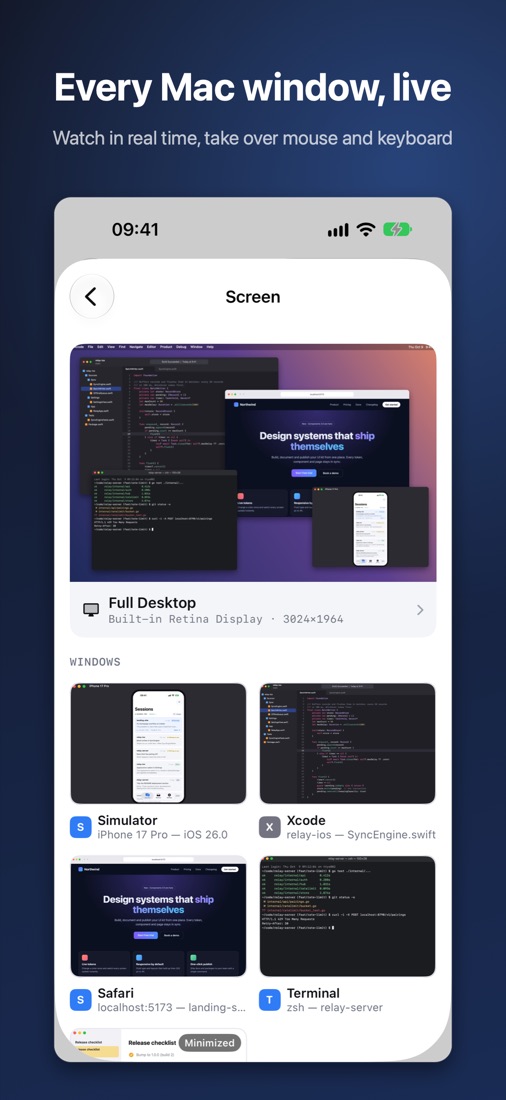
See and control your Mac
查看并操控 Mac
Watch the desktop or any window live and take over the mouse and keyboard when you need to.
实时查看整个桌面或任意窗口,需要时接管鼠标和键盘。
Preview what you build
随手预览成果
Open your Mac's local dev servers and project files right on your phone.
在手机上直接打开 Mac 本地的开发服务和项目文件。
Private by design
隐私优先
Pair with a 4-digit code. Everything between your devices is end-to-end encrypted, and your code stays on your Mac.
4 位校验码配对,设备之间端到端加密,代码始终留在你的 Mac 上。
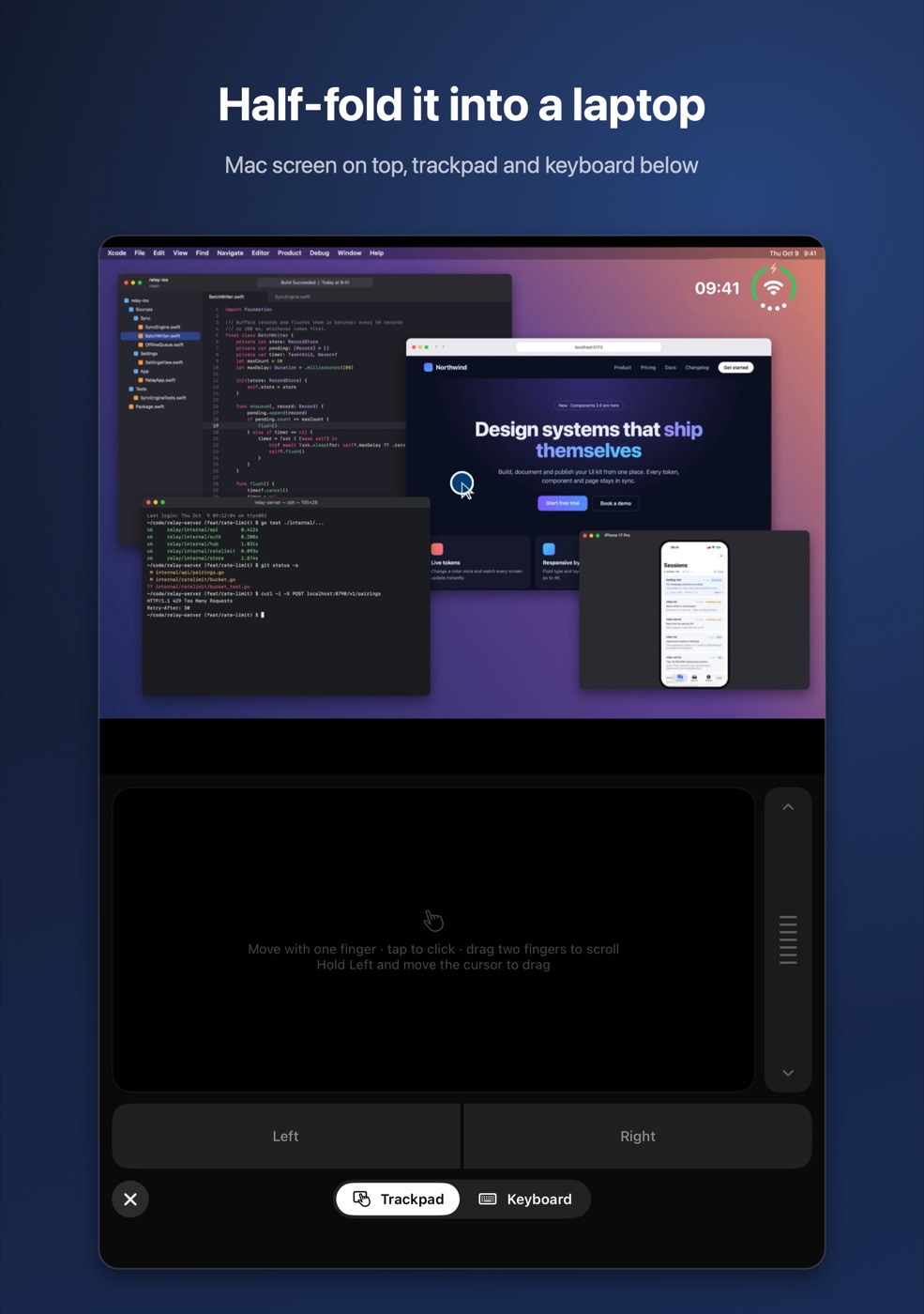
Half-fold iPhone Duo into a laptop
iPhone Duo 半开,变身笔记本
Your Mac's screen on the top half, a trackpad with left and right buttons, a scroll strip and a keyboard on the bottom.
上半屏是 Mac 画面,下半屏是带左右键和滚轮的触控板,还能切换成键盘。
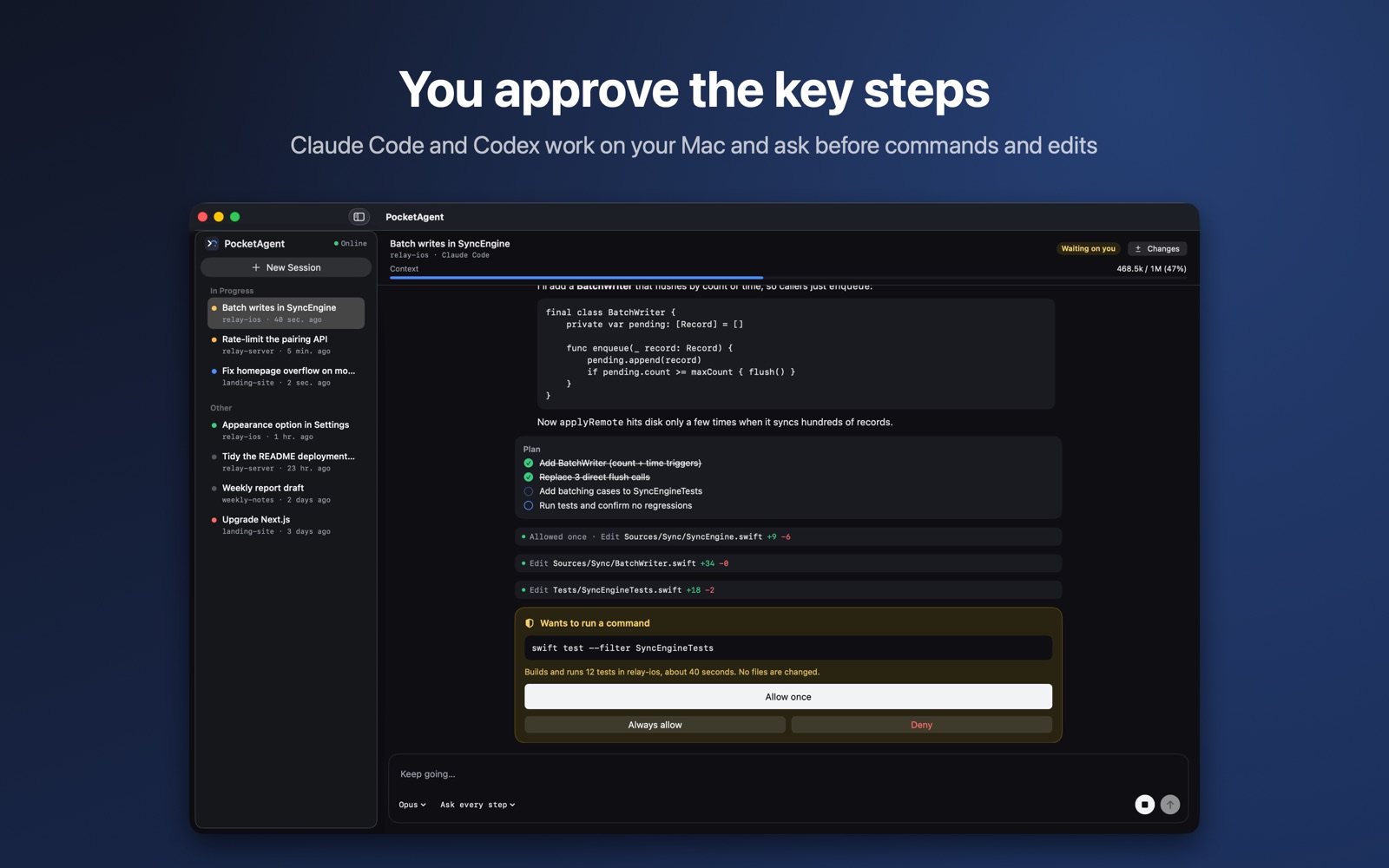
PocketAgent for Mac runs the agents
Mac 版负责运行助手
It hosts the sessions in the folders you choose, keeps your Mac awake while agents work, and decides which phone can see or control which project.
在你选定的项目目录里运行会话,助手干活时保持 Mac 不休眠,并决定每台手机能看或操作哪些项目。